


|
Name |
NFC Tools Pro Edition |
|---|---|
|
Google Play Link |
GET IT ON
Google Play
|
|
Category |
Tools |
|
Developer |
wakdev |
| Last version | 9.6 |
|
Updated |
|
|
Compatible with |
Android 5.0+ |
Introduction to NFC Tools Pro Edition APK
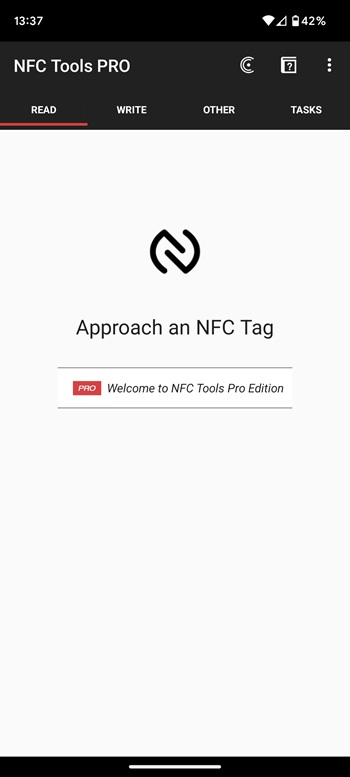
NFC Tools Pro Edition is a mobile utility app designed for devices that support NFC (Near Field Communication). It allows users to read, write, and program NFC tags using a simple interface. Many modern phones include NFC hardware, and this app turns that feature into a practical tool for automation, data sharing, and quick actions.
The main purpose of the app is to manage NFC tags and chips. Users can scan tags to read stored information or write new data to them. For example, an NFC tag can store contact details, Wi-Fi settings, website links, or simple commands. With NFC Tools Pro Edition, a quick tap of the phone can trigger these actions automatically, saving time in daily routines.
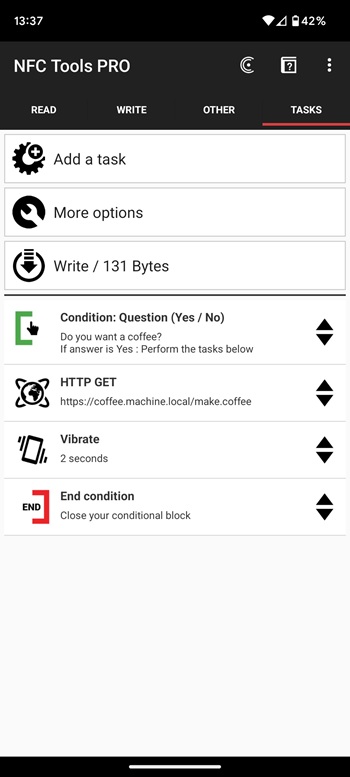
A major highlight of the Pro Edition is the large collection of tasks available for automation. The app supports hundreds of actions that can be combined to build custom routines. Users can create sequences such as enabling Wi-Fi, launching a specific app, or adjusting device settings after scanning a tag. Conditional blocks allow more complex actions that depend on certain conditions, giving advanced users extra control.
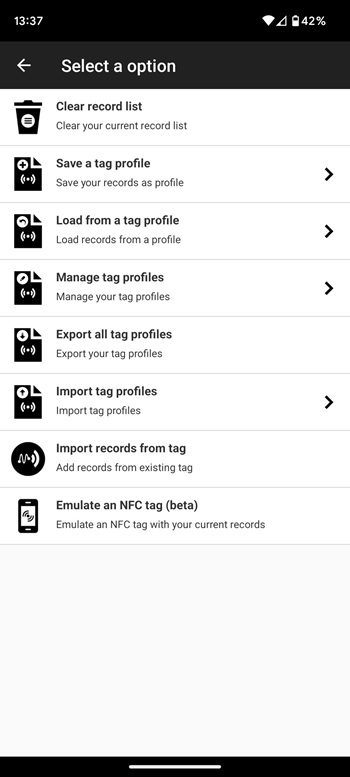
Another useful feature is the profile management system. Profiles allow users to save sets of records and tasks so they can reuse them later. This saves time when creating similar NFC tags. The app can also import data from existing NFC tags, making it easier to edit or replicate them without starting from scratch.
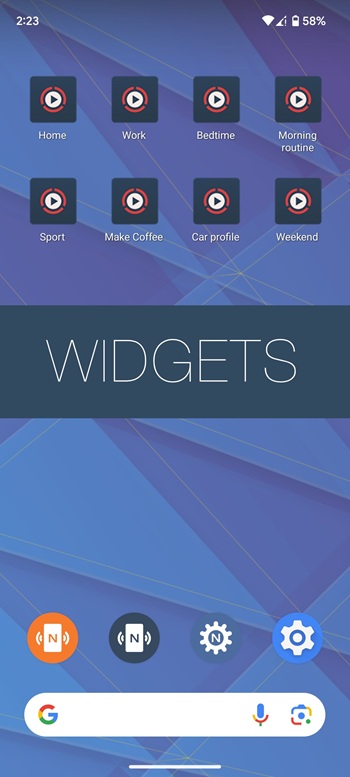
The Pro version also adds options that do not require a physical NFC tag. Tasks can be executed directly through home screen shortcuts, which makes certain automations faster. In addition, compatible devices can emulate an NFC tag using stored records, which is helpful for testing or sharing digital data.
There are a few limitations to keep in mind. The app only works on devices that support NFC hardware. Some advanced tasks require the companion app NFC Tasks to run properly. Also, beginners may need a short learning period to understand how different tasks and records work together.
This app is suitable for users who like automating small daily actions with technology. Tech enthusiasts, developers, and anyone experimenting with NFC tags will find it particularly useful. It also helps people who manage smart homes, office workflows, or personal shortcuts where a simple tap can trigger a prepared command.
NFC Tools Pro Edition works best in situations where quick, contactless actions save time. For example, placing NFC tags at home to toggle device settings, sharing contact information instantly, or launching apps with a tap can make routine tasks faster and more convenient.
FAQs NFC Tools Pro Edition
What does NFC Tools Pro Edition do?
+
NFC Tools Pro Edition is a mobile utility app that lets users read, write, and program NFC tags. It can store data, automate device actions, and trigger tasks when a phone scans a tag.
How does NFC Tools Pro Edition work with NFC tags?
+
The app scans NFC tags using the phone’s NFC hardware. Users can read stored information or write new records and tasks to the tag, which activate when the tag is scanned again.
What features are included in NFC Tools Pro Edition?
+
The app includes profile management, NFC tag reading and writing, task automation, conditional actions, tag emulation, and the ability to run tasks through home screen shortcuts.
Do you need an NFC-enabled phone to use NFC Tools Pro Edition?
+
Yes. The app requires a smartphone with built-in NFC hardware. Without NFC support, the core features like scanning and writing tags will not function.
Who should use NFC Tools Pro Edition?
+
It is useful for tech enthusiasts, developers, and everyday users who want quick automation with NFC tags, such as launching apps, sharing data, or triggering phone settings with a tap.
Discover More Interesting Apps
-
 Mod
Mod
UniMote
v1.1.3
34.68 Mb
Updated -
Call Recorder
v34.0
35.19 Mb
Updated -
Hik Connect
v6.13.851.0823
330.85 Mb
Updated -
Mod
Panda Gamepad Pro
v11.6
13.00 Mb
Updated -
Mod
PigeonCast
v3.6.1
57.49 Mb
Updated -
Mixing Station
v3.1.4
31.04 Mb
Updated -
Mod
Proton VPN
v5.19.99.0
60.00 Mb
Updated -
Panda Mouse Pro
v12
13.00 Mb
Updated -
Mod
OBDeleven
v2.9.0
61.67 Mb
Updated -
Mod
Kimi
v3.0.8
65.31 Mb
Updated








Share Your Thoughts